
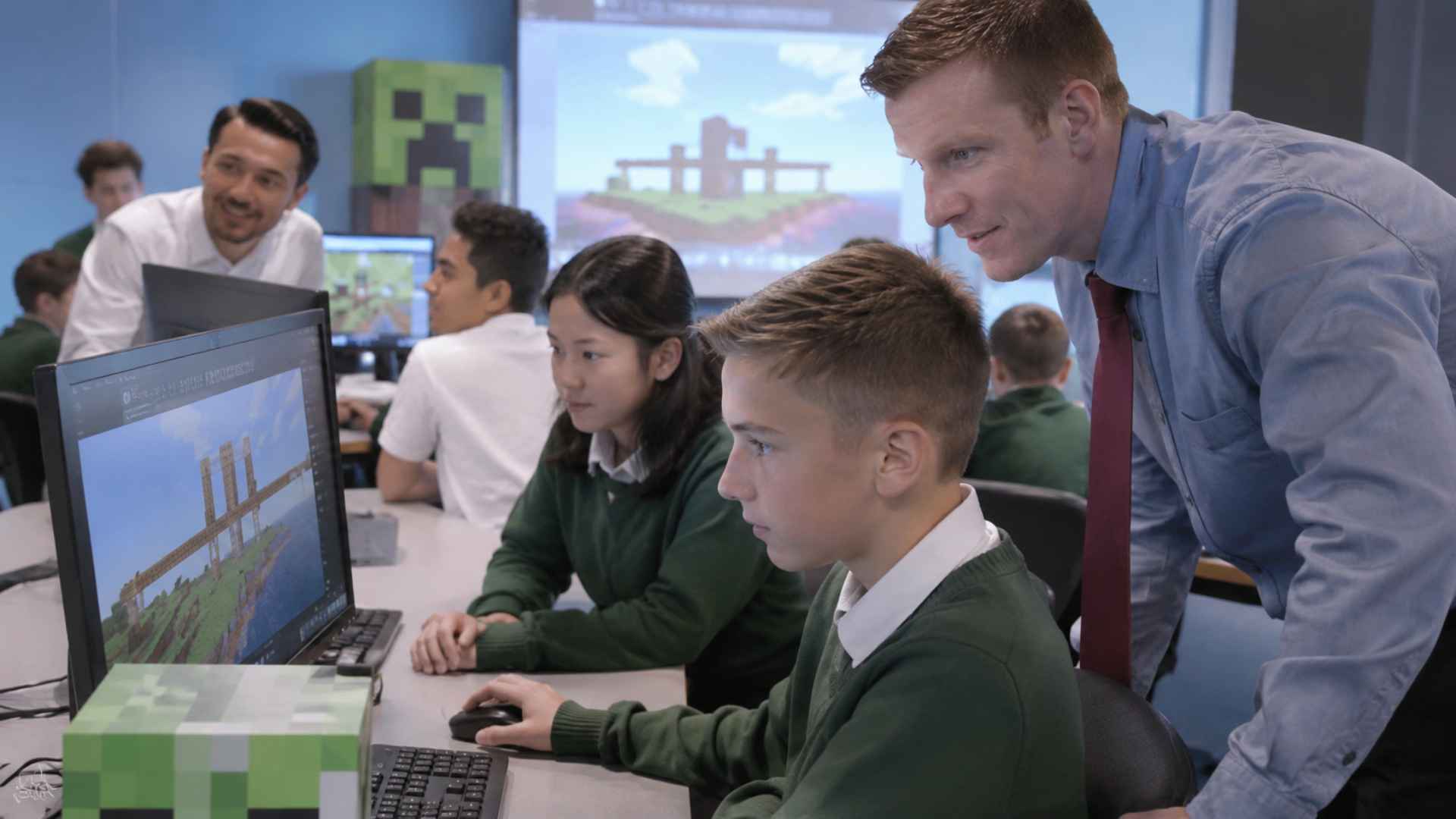
Virtual classrooms give students access to lessons beyond a physical school building, but participation can become difficult when activities rely mainly on video calls and worksheets. Minecraft Education offers a different type of digital classroom through a three dimensional environment where students can build objects, test ideas, and explain their decisions. Unlike the entertainment version of Minecraft, this edition includes features developed for educational use, such as lesson resources, classroom controls, and tools for recording work. In this setting, the digital world acts as a workspace rather than a substitute for the teacher or curriculum.
Teachers can use the platform for individual assignments or group projects across subjects including mathematics, science, history, and language arts. Students might construct a model ecosystem, represent fractions with blocks, or recreate the layout of a historical settlement. These activities do not automatically produce better learning outcomes. Their educational value depends on clear objectives, appropriate guidance, and opportunities for students to connect their virtual work with academic concepts. Teachers can connect each activity to a worksheet, group discussion, or short written explanation completed afterward.
Virtual Classrooms and Collaborative Lessons
Shared Minecraft Education worlds allow classmates to work on the same project while occupying different physical locations, provided their devices, accounts, and networks meet multiplayer requirements. Participants can enter a hosted session through a join code and divide responsibilities within the world. During a city planning assignment, for example, one group might design roads while another considers public spaces, water access, and land use. The finished model becomes a visible record of choices that students can discuss and revise together. Students must negotiate designs, resolve disagreements, and explain how their choices meet the agreed project requirements.
Collaboration also requires structure. Teachers can assign roles, set boundaries for construction, and establish rules for respectful communication. The platform includes non player characters that can display instructions, as well as boards for placing information inside a world. Its multiplayer feature generally connects users within the same school organization’s Microsoft 365 environment, rather than operating as an unrestricted public game. Because a standard hosted session ends when the host leaves, teachers need to arrange meeting times and save project work carefully. Preassigned responsibilities and checkpoints can prevent a few participants from doing most of the work.
Curriculum Projects and Assessment Methods
Minecraft Education can support lessons that benefit from spatial representation and experimentation. In mathematics, learners can use blocks to compare area, volume, and scale while explaining calculations outside the game. Science activities can involve designing habitats or observing how a simulated system responds to different arrangements. Historical reconstruction projects can encourage students to consult maps and written records, although a virtual building should not be presented as an accurate historical replica without supporting evidence. These tasks work best when teachers assess the reasoning behind a model, not just its appearance. For instance, a scale model may expose differences between a mathematical plan and the space actually available.
Computer science lessons can use Code Builder, which supports block based programming as well as JavaScript and Python. Students can write instructions for an in game agent and observe the results, making concepts such as sequencing, loops, and debugging more concrete. For assessment, the built in camera and portfolio tools allow learners to capture their creations, add captions, and export images. Teachers can combine these records with written reflections, presentations, or rubrics to evaluate subject knowledge, teamwork, and the decisions made during a project. Mistakes in code can be corrected and tested again, allowing students to see the effects of revisions.
Technical Requirements and Responsible Classroom Use
Reliable access remains a major consideration for schools adopting virtual game based activities. Minecraft Education needs compatible devices, licensed access, and sufficient system resources. Multiplayer performance also depends on internet connectivity and the device hosting a session. Students working from home may face different network settings, hardware limitations, or interruptions. Smaller groups, pretested worlds, and alternative assignments can reduce disruptions and help schools avoid excluding students who cannot participate in a live session. Offline discussion prompts and printable tasks can help maintain continuity when technical problems interrupt a lesson.
Educational research also calls for realistic expectations. A systematic review published in 2025 examined 29 studies of Minecraft based educational interventions involving children, adolescents, and young adults. It reported promising findings in areas such as spatial reasoning and academic learning, but emphasized that the overall quality of evidence was limited. This distinction matters: student enthusiasm and impressive digital creations are not, by themselves, proof of improvement in knowledge or achievement. Results varied between studies, and inconsistent research methods make broad claims about effectiveness difficult to support. Teachers still need measurable learning goals and conventional assessment methods.
Responsible use includes age appropriate supervision, accessible instructions, and reasonable screen time expectations. The platform’s Immersive Reader feature can support learners who need help with written text, but accessibility needs vary, and not every activity will suit every student. Educators should provide options for participation, protect student information under school policies, and explain when digital models simplify real world conditions. With careful lesson design, Minecraft Education can serve as one component of virtual learning, supporting collaborative work while keeping educational outcomes at the center. Brief reflection sessions can clarify what students learned and what remains inaccurate or unfinished in their models.